How to Add a Shortcut to Your
Client Portal on Your Mobile Device
For Android Users
Step 1
Navigate to the URL (clients.i24image.com/portal) using the Google Chrome browser.
Click on the image to Zoom in
Click on the image to Zoom in
Step 2
Click on the ‘Menu Icon’ (the three dots at the top right).
Then click on the ‘Add to Home screen’ option
Step 3
Click on ‘Create shortcut’.
Click on the image to Zoom in
Click on the image to Zoom in
Step 4
The name of the link should already be there, if not, you can change it to “i24 Client Portal” or any other name that will make it easy for you to find. Then click on ‘Add’.
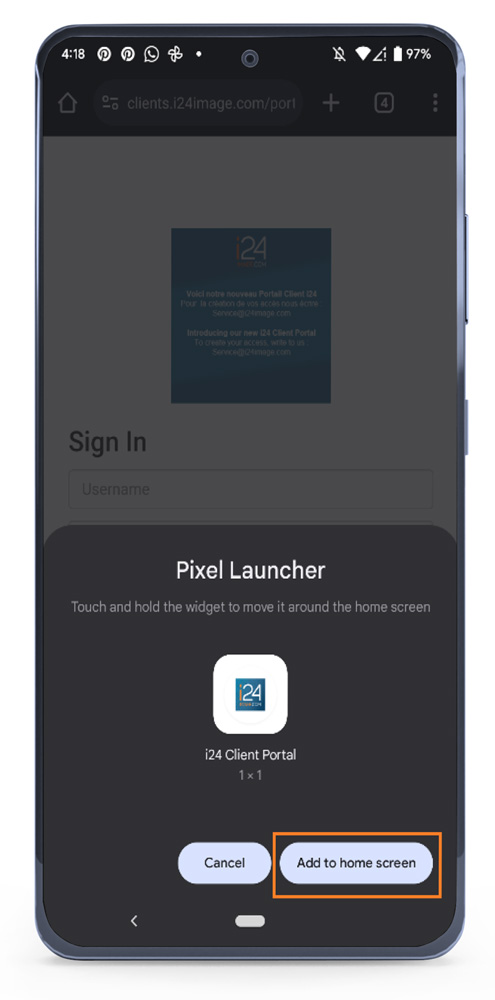
Step 5
Click on ‘Add’ to confirm you want to add the shortcut to your Home screen.
Click on the image to Zoom in
Click on the image to Zoom in
Step 6
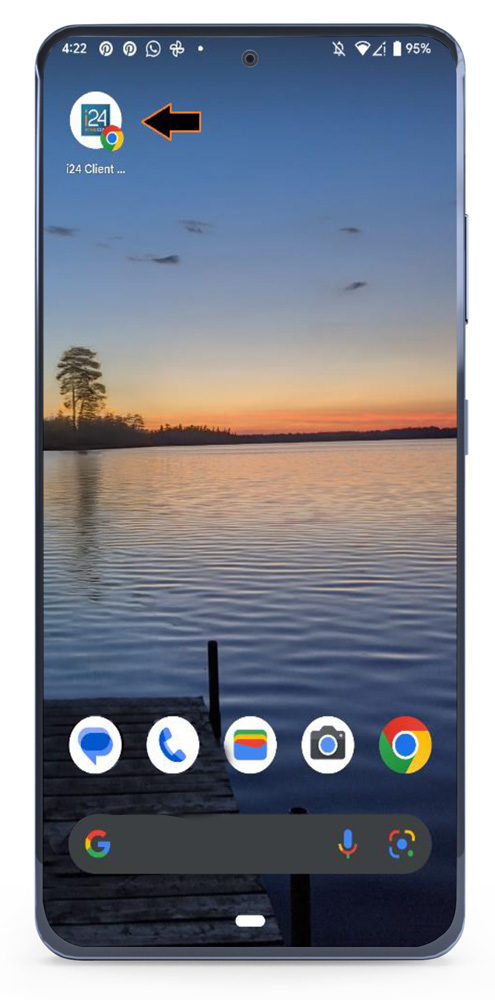
The icon will be saved on the first available spot on your Home screen. Tap on the ’shortcut’ and you can log into your portal using your regular credentials.
Click on the image to Zoom in
For iphone Users
Step 1
Launch Safari on your iPhone or iPad. Navigate to the URL: (clients.i24image.com/portal).
Step 2
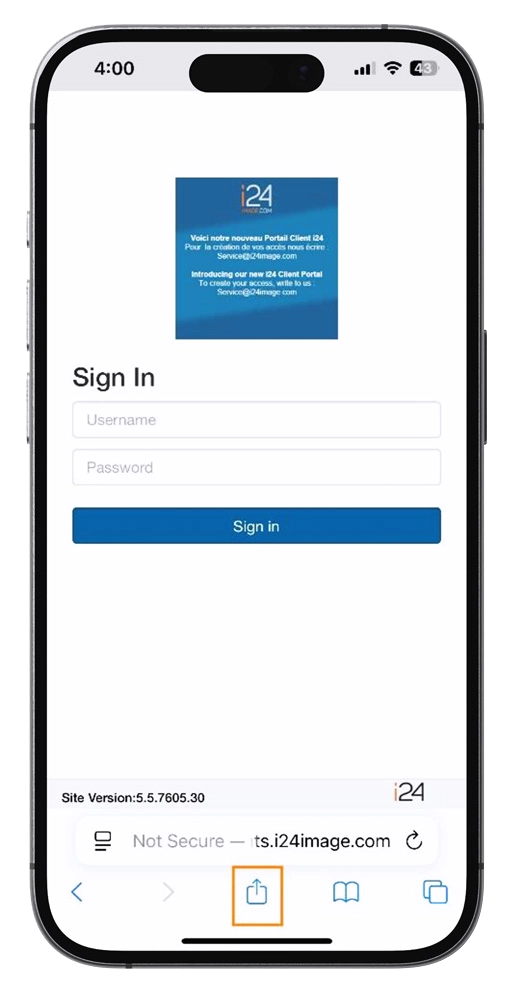
Tap the ’Share icon’ (the square with an arrow pointing out of it) at the bottom of the screen.
Click on the image to Zoom in
Click on the image to Zoom in
Step 3
Scroll down to the list of actions and tap ’Add to Home Screen’.
(If you don’t see the action, scroll to the bottom and tap ’Edit Actions’, then tap ’Add’ next to the ’Add to Home Screen’ action. After that, you’ll be able to select it from the Share Sheet.)
Step 4
The name of the link should already be there, if not, you can change it to “i24 Client Portal” or any other name that will make it easy for you to find. Tap ’Add’ in the top right corner of the screen.
Click on the image to Zoom in
Click on the image to Zoom in
Step 5
Your new “progressive web app” will appear in the next available space on your device’s Home screen. Tap on the shortcut and you can log into your portal using your regular credentials.
Using this progressive web app makes connecting with your client portal faster, easier, and always just a tap away!